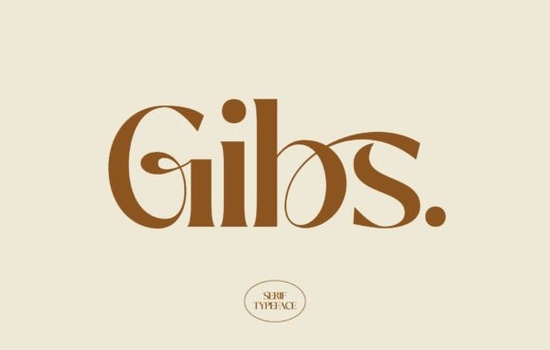
Finding the right serif font for a design project can feel overwhelming, especially when you want something that looks polished without being stuffy. Gibs is a serif typeface that balances classic letterform structure with a clean, modern feel. If you're working on branding, editorial layouts, or luxury-themed designs, the Gibs font deserves a closer look.
What does the Gibs font look like?
Gibs features refined serifs and well-proportioned letterforms that give it a timeless quality. It's not overly decorative, which makes it versatile across different design contexts. The strokes have a subtle contrast between thick and thin, creating a sense of rhythm on the page without distracting from the content itself.
Think of it as a font that adds polish without shouting. Whether you're setting a headline or working on a logo, Gibs brings a quiet confidence to the typography.
What kind of projects is Gibs best suited for?
This font works especially well in projects where you want to communicate quality and refinement. Here are some practical uses:
- Branding and logos Perfect for businesses in fashion, beauty, hospitality, or any industry that values a premium look.
- Editorial design Magazine layouts, book covers, and blog headers benefit from its clean serif structure.
- Print-on-demand products Mugs, tote bags, and greeting cards with a luxury aesthetic pair nicely with this style.
- Wedding invitations and stationery The elegant letterforms add a romantic, classic touch.
- Social media graphics Quote posts, announcements, and promotional content look more professional with a well-chosen serif.
If you've been relying on the same few serif fonts for every project, Gibs offers a fresh alternative that still feels familiar and readable.
How does Gibs compare to other serif fonts?
There's no shortage of serif fonts available, so how does Gibs stack up? It sits in a sweet spot between traditional serifs like Times New Roman and more stylized display fonts. It's elegant enough for luxury branding but still practical for body text in shorter blocks.
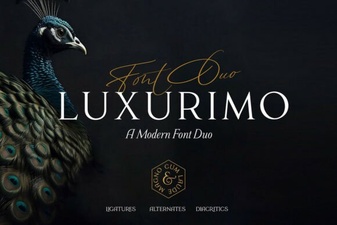
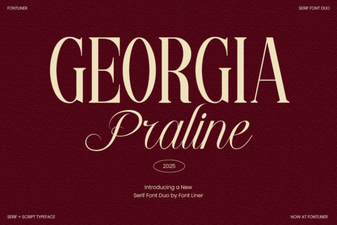
For comparison, Georgia Praline leans more into a warm, classic aesthetic with its own personality. If you're after something with a bit more flair, Luxurimo takes the luxury feel even further. Meanwhile, Ethereal offers a lighter, more delicate approach, and Ronsa brings a different character altogether with its serif styling.
Each of these fonts has its own strengths, but Gibs stands out for its balance. It's not too bold, not too thin, and not too trendy which means your designs will still look good years from now.
How do you pair Gibs with other fonts?
Good font pairing can make or break a design. Here are a few ideas that work well with Gibs:
- Gibs + a clean sans-serif Use Gibs for headings and a simple sans-serif for body text. This creates a clear visual hierarchy.
- Gibs + a script font Combine it with a handwritten or calligraphy font for wedding invitations or feminine branding.
- Gibs alone For minimalist designs, using just Gibs in different weights and sizes can look incredibly clean.
The key is contrast. Pair Gibs with something that has a noticeably different structure so the two fonts complement rather than compete with each other.
Can you use Gibs for commercial projects?
If you're selling products whether on Etsy, Redbubble, or your own shop you'll want to make sure your font license covers commercial use. The Gibs font is available through Creative Fabrica, where fonts typically come with commercial licensing options. Always double-check the specific license terms before using any font in products you plan to sell.
Quick checklist before using Gibs in your next project
- Check the license to confirm it covers your intended use (personal, commercial, or print-on-demand).
- Test the font at different sizes to make sure it reads well in your layout.
- Try pairing it with at least two different fonts to find the best combination.
- Preview your design on both screen and print to catch any spacing or kerning issues.
- Save your font files in an organized folder so you can find them easily for future projects.
Tip: Before committing to Gibs for a client project, create a quick mockup with placeholder text. Seeing the font in context rather than just on a specimen sheet helps you decide if it truly fits the brief.
Get Started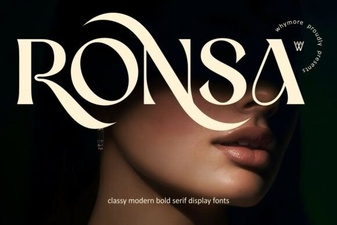 Ronsa Font: a Creative Typeface for Modern Design Projects
 Exploring the Elegance of Luxurimo Font
 Georgia Praline Font: Elegant & Readable Typeface
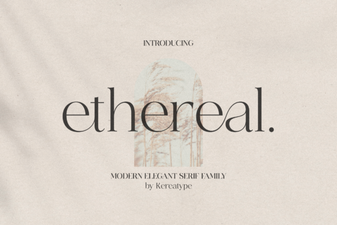 Ethereal Font: Elegant Typefaces for Dreamy Design Projects
 Dream Wish Font – Elegant Script Font for Creative Designs
 Farmhouse Pumpkin Script Font Free Download