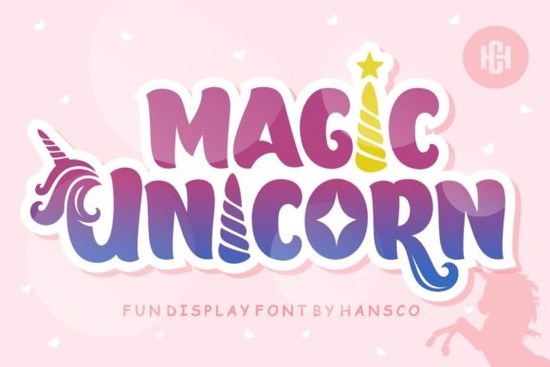
Finding the right playful font for kids' projects can be surprisingly tricky. You want something fun and eye-catching, but it still needs to stay readable. The Magic Unicorn Font is a display typeface designed for exactly this kind of work children's activities, school projects, party invitations, and anything that needs a cheerful, whimsical feel. It has a jolly, charming personality that stands out without being hard to read.
What Makes Magic Unicorn Font a Good Choice for Kids' Projects?
Magic Unicorn brings a playful, rounded style that feels approachable and friendly. The letter shapes are soft and bouncy, which naturally appeals to a younger audience. Unlike overly decorative fonts that sacrifice legibility, this one keeps each character clear enough for short headings, labels, and titles.
It works well for:
- Birthday invitations and party decorations
- Classroom posters and bulletin boards
- Coloring book covers and activity sheets
- Kids' t-shirt designs for print-on-demand
- Social media graphics for children's brands
- Scrapbooking and DIY craft projects
The authentic, hand-drawn quality gives it warmth that more rigid typefaces simply don't have. If you're working on a design that needs to make children smile, this font does the job naturally.
How Can I Use This Font for Print-on-Demand Products?
Print-on-demand sellers often need typefaces that look great on physical products mugs, tote bags, stickers, and especially children's clothing. Magic Unicorn Font translates well to merchandise because its bold, chunky shapes reproduce clearly at different sizes.
Pair it with simple illustrations or pastel backgrounds and you have a ready-made design for kids' apparel. For sticker sheets, try using it for short phrases like "You're Magical" or "Dream Big" alongside unicorn or rainbow graphics. The font's personality does most of the heavy lifting, so you don't need complex layouts.
If you're building a collection of playful display fonts for your shop, consider browsing similar options like a bold bubble-style font for bolder text treatments or a chunky summer display font for seasonal kids' designs. Having a few different playful styles on hand gives you more flexibility when customers request variety.
Does It Work for School and Classroom Designs?
Teachers and school administrators often need fun fonts for event flyers, reading charts, reward certificates, and newsletter headers. Magic Unicorn Font fits right into these settings because it's lively without being distracting.
For school-specific projects, you might also want to check out display fonts with a more structured feel. Something like a varsity-style school font works well for sports team graphics, while a clean option like a bright lemon-themed font suits science fair posters or reading logs. Magic Unicorn is best reserved for the fun, celebratory pieces think field day shirts, spirit week flyers, or kindergarten graduation materials.
What Other Fonts Pair Well with Magic Unicorn?
Since Magic Unicorn is a display font, it's meant for headlines and short text. You'll want a simpler complementary font for body copy. Here are a few pairing ideas:
- With a clean sans-serif: Use Magic Unicorn for the heading and a basic sans-serif for supporting text. This keeps the design balanced and readable.
- With a playful script: For party invitations, combine it with a light handwritten script for a layered, fun look.
- With a bold block font: If you want contrast, pair the whimsical unicorn style with something sturdy like a strong college-style font to ground the layout.
Good pairing is about contrast. If the heading font is playful and bouncy, the body font should be calm and structured and vice versa.
Is Magic Unicorn Font Easy to Work With?
Yes. It installs like any standard font and works in popular design software including Canva, Adobe Illustrator, Photoshop, Cricut Design Space, and Silhouette Studio. Once installed, you just select it from your font list and start typing.
A few things to keep in mind:
- Use it at larger sizes. As a display typeface, it's designed for headings, not paragraphs.
- Check licensing. Make sure the license covers your intended use, especially for commercial products.
- Test on mockups first. Before uploading to your shop, preview the font on product mockups to make sure it renders well at print size.
Quick Checklist Before You Start Designing
- Download and install Magic Unicorn Font on your device
- Open your preferred design tool and select the font
- Write your headline or short phrase
- Choose a complementary font for any body text
- Test readability at your final output size
- Verify the license matches your project type
- Export and preview on a product mockup before publishing
Tip: Start by designing one simple project like a kids' birthday invitation or a sticker with a short phrase to get a feel for how the font looks in your workflow. Once you're comfortable, you'll find it fits naturally into a wide range of children's and family-oriented designs.
Explore Design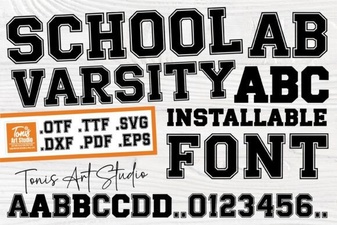 School Varsity Font | Bold Display Typeface for Sports and College Designs
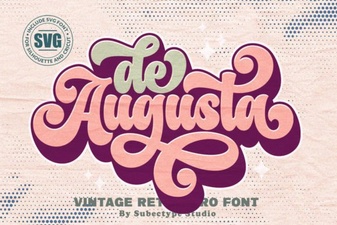 De Augusta Font: Elegant Typography for Timeless Designs
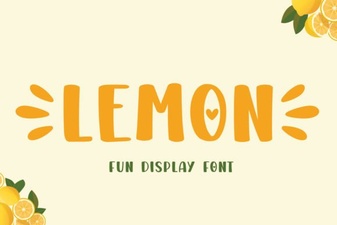 Lemon Font: a Fresh and Playful Typeface for Creative Projects
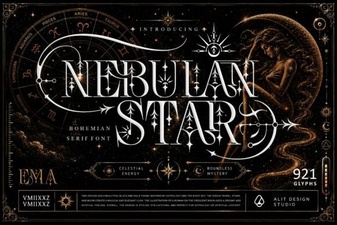 Nebulan Star Typeface Font | Futuristic Display Font for Creative Projects
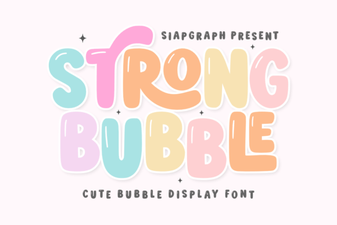 Strong Bubble Font - Bold 3d Display Typeface for Posters & Headlines
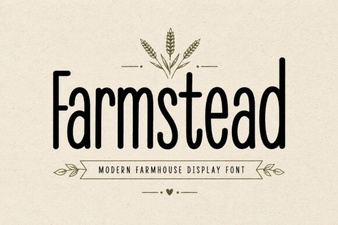 Farmstead Font: Rustic Charm for Creative Design Projects