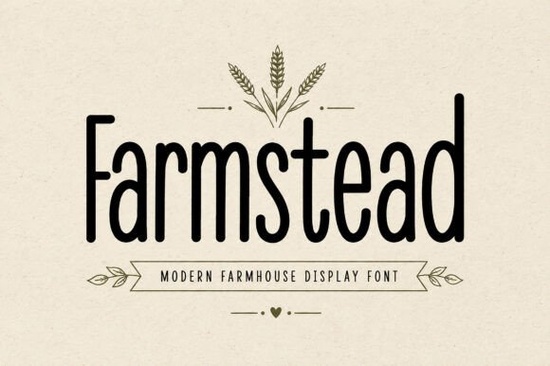
If you're looking for a typeface that captures the warmth of country living and handmade charm, Farmstead Font is a modern farmhouse display font worth considering. It draws inspiration from rustic markets, cozy kitchens, and organic product packaging making it a practical choice for crafters, small business owners, and designers who work on farmhouse-style projects regularly.
Below, I'll walk through what makes this font useful, who it's best for, and how you can put it to work in real design projects.
What Kind of Design Projects Does Farmstead Font Work Best For?
Farmstead is a tall, clean display font with a handcrafted feel. It's not overly decorative, which means it stays readable even at smaller sizes. That balance between rustic personality and clarity is what makes it versatile.
Here are some common projects where it fits naturally:
- Farmhouse signs kitchen quotes, pantry labels, entryway sayings
- Organic product packaging honey jars, jam labels, soap wrappers
- Bakery and café branding logos, menus, branded merchandise
- Cricut and SVG crafts cut-ready designs for vinyl decals, stencils, and iron-on projects
- Wedding décor table numbers, welcome signs, invitation suites
- Social media graphics Instagram posts, Pinterest pins, story templates
- Print-on-demand products tote bags, mugs, t-shirts, stickers
The font includes uppercase and lowercase letters, numbers, punctuation, and multilingual support, so you won't run into missing characters mid-project.
Is Farmstead Font a Good Fit for Cricut and Cutting Machines?
Yes, and this is one of the areas where it really shines. The clean letterforms mean fewer issues with weeding vinyl or cutting small details. Fonts with too many thin strokes or swashes can cause headaches on Cricut and Silhouette machines, but Farmstead keeps things simple without losing its handmade character.
If you make and sell custom crafts at local markets or on Etsy, this is the kind of font that gives your work a polished, on-trend look without requiring extra design cleanup.
How Does It Compare to Other Rustic Display Fonts?
Farmstead sits in a sweet spot between casual handwritten fonts and more formal serif typefaces. If you pair it with a clean sans-serif for body text, you get a nice contrast that works well for product labels and branding kits.
For projects that need a bolder, chunkier vibe, a thick summer display font might be a better match. And if you're working on something playful or kid-friendly, consider looking at a bold bubble-style font for that rounded, approachable look.
For farmhouse projects specifically, though, Farmstead holds its own. It has enough personality to stand out on a sign or label without competing with your other design elements.
Can I Use It for Commercial Projects Like Selling on Etsy?
This depends on the license you purchase. Creative Fabrica offers different licensing options, so you'll want to check the specific terms for Farmstead before using it in products you sell. Generally, their licenses cover both personal and commercial use, but it's always smart to review the details for your use case.
If you run a small business selling handmade goods, rustic merchandise, or print-on-demand items, having a reliable farmhouse font in your toolkit saves time on every new project.
What Fonts Pair Well With Farmstead?
Since Farmstead is a display font, it works best for headlines, titles, and short text. For longer descriptions or body copy, pair it with something neutral. A few pairing ideas:
- Simple sans-serif fonts for product descriptions and packaging info
- Light script fonts for wedding invitations and elegant labels
- Other rustic fonts like a fresh citrus-inspired display font for farm market branding with a bright twist
For projects leaning more classical or elegant, a regal serif display font pairs nicely as a secondary typeface alongside Farmstead for contrast.
Where Can I Get Farmstead Font?
You can find it directly on Creative Fabrica. Search for Farmstead Font to view the full character set, preview options, and licensing details before you buy.
Quick Checklist Before You Start Designing
- Download and install the font on your system or upload it to your design software
- Check the license to confirm it covers your intended use
- Test it at the size you'll actually use display fonts can look different at small vs. large scales
- Pair it with a simple body font for readable layouts
- Save your project in the right format for your end use (SVG for cutting machines, PNG for print-on-demand, PDF for print)
Tip: Before committing to a final design, mock up your text on a product template like a mug, tote bag, or label to make sure the font proportions look right in context.
Learn More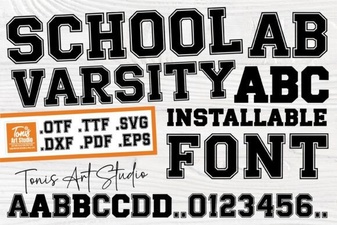 School Varsity Font | Bold Display Typeface for Sports and College Designs
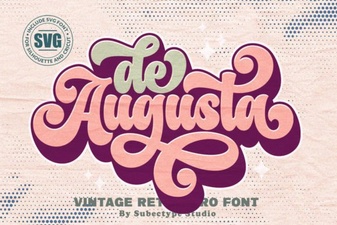 De Augusta Font: Elegant Typography for Timeless Designs
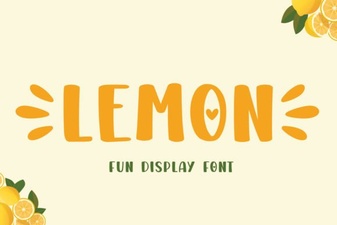 Lemon Font: a Fresh and Playful Typeface for Creative Projects
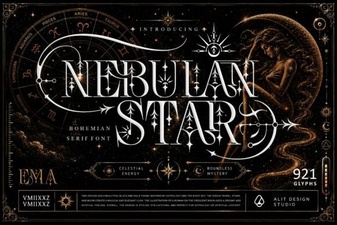 Nebulan Star Typeface Font | Futuristic Display Font for Creative Projects
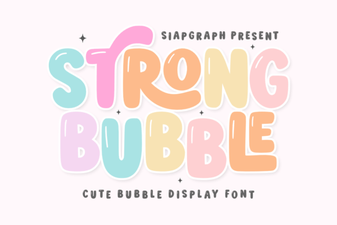 Strong Bubble Font - Bold 3d Display Typeface for Posters & Headlines
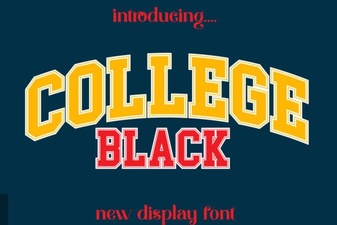 College Black Font: Bold Designs for Campus Projects